How to move AWD inventory to FBA and Fix Errors Auto-Replenishments to FBA
April 28, 2026 FBA
--> Get a FREE Growth Audit of your Amazon Store
Having trouble to fix FBA Auto Replenishing or you do see an errors in your AWD inventory?
Let AMZing Marketing Agency guide you how to fix these issues with our step by step instructions.
AMZing Marketing has reinstated over 600 different de-activated product listing for many Amazon Sellers.
Need expert advice to fix your product listing? Contact us here >>
So why is there suddenly a problem with the FBA Auto Replenishing from AWD?
This happens when the product listing is de-activated due to many reasons.
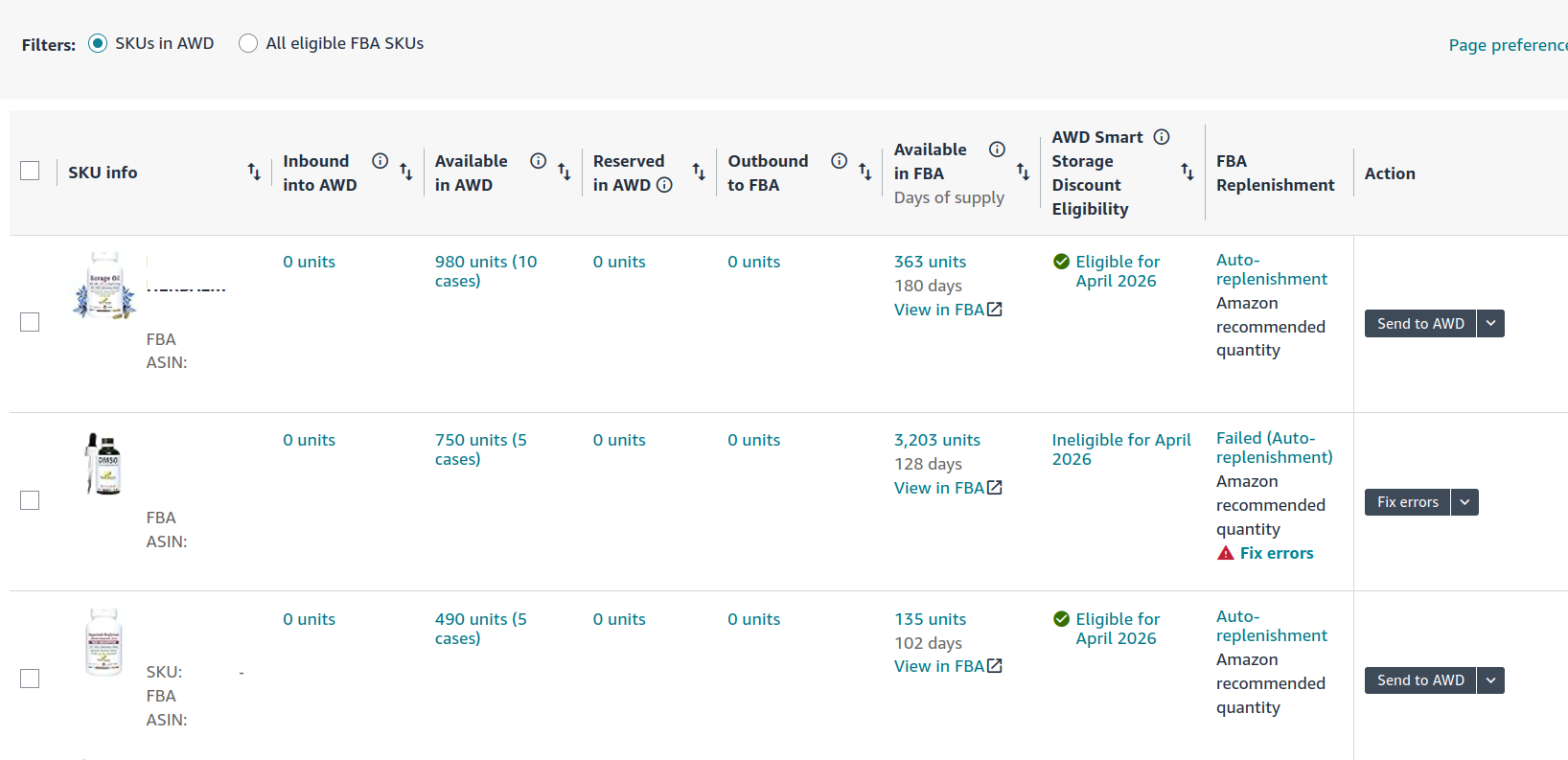
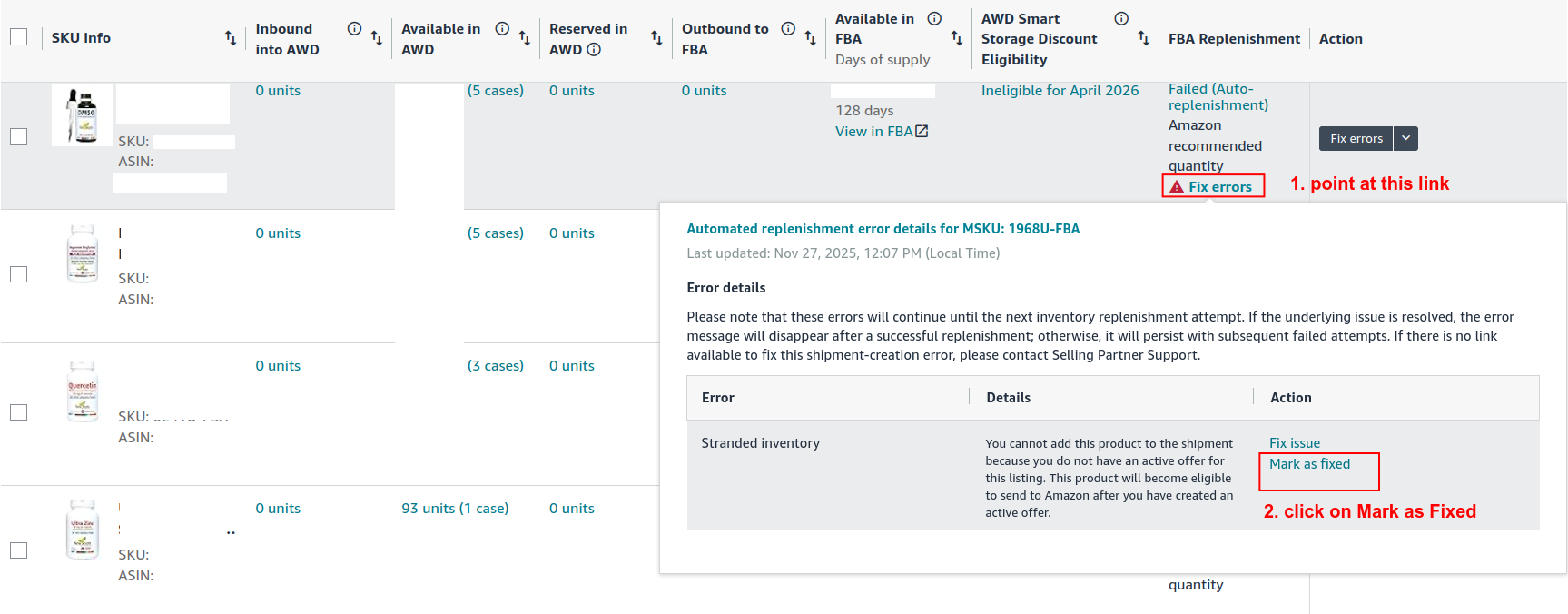
Once the the product listing is fixed, you can go back to the AWD inventory and click on the link "Fix Errors"
Step 1: point on the link "Fix Errors"
Step 2: Click on Mark as Fixed (make sure the product listing is Re-activated)
Step 3: Click on the "Auto-replenishment" --> a popup screen will show up
Step 4: At the popup screen click in "Turn on FBA auto-replenishment"
And this should make the FBA auto-replenishment work again
Want to Move Some Quantity from AWD to FBA MANUALLY for your Product Listing ASIN?
Here are the instructions!
Let's go back to your AWD inventory screen.
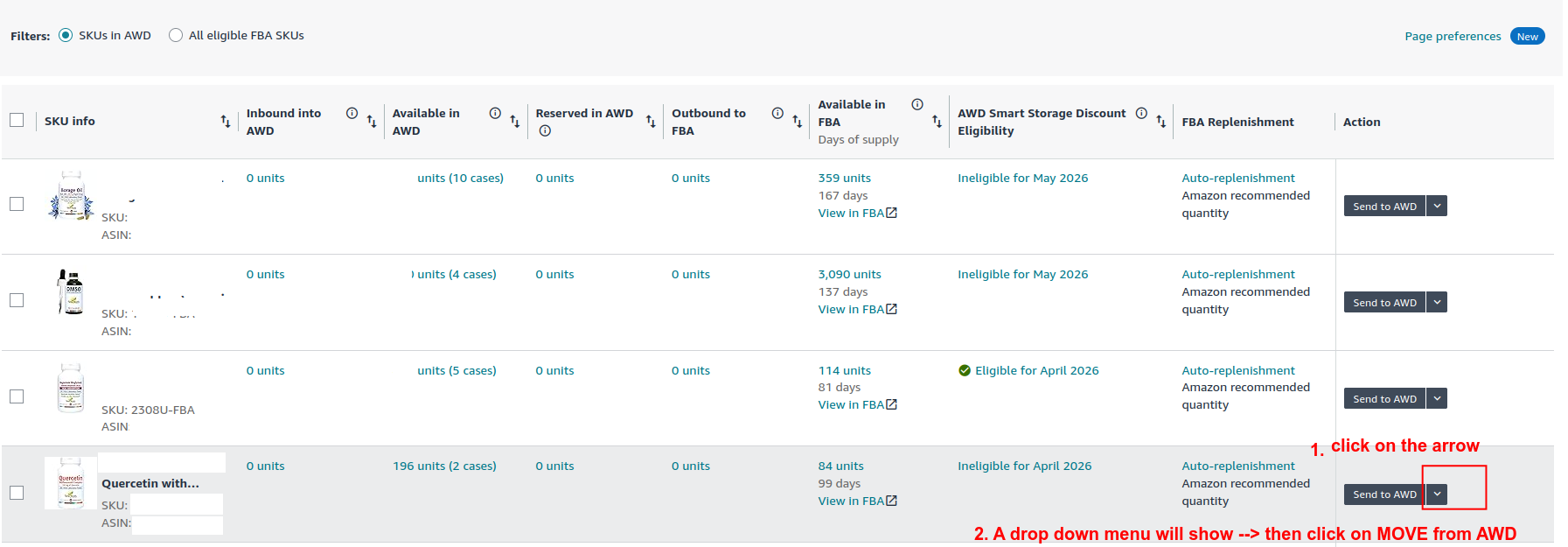
Step 1: Select the ASIN that you want to move (see picture below)
Step 2: Click on the Arrow next to the button "Send to AWD"
A drop down menu will with the value "move from AWD"
Step 3: Click on the value "move from AWD" from the drop down menu
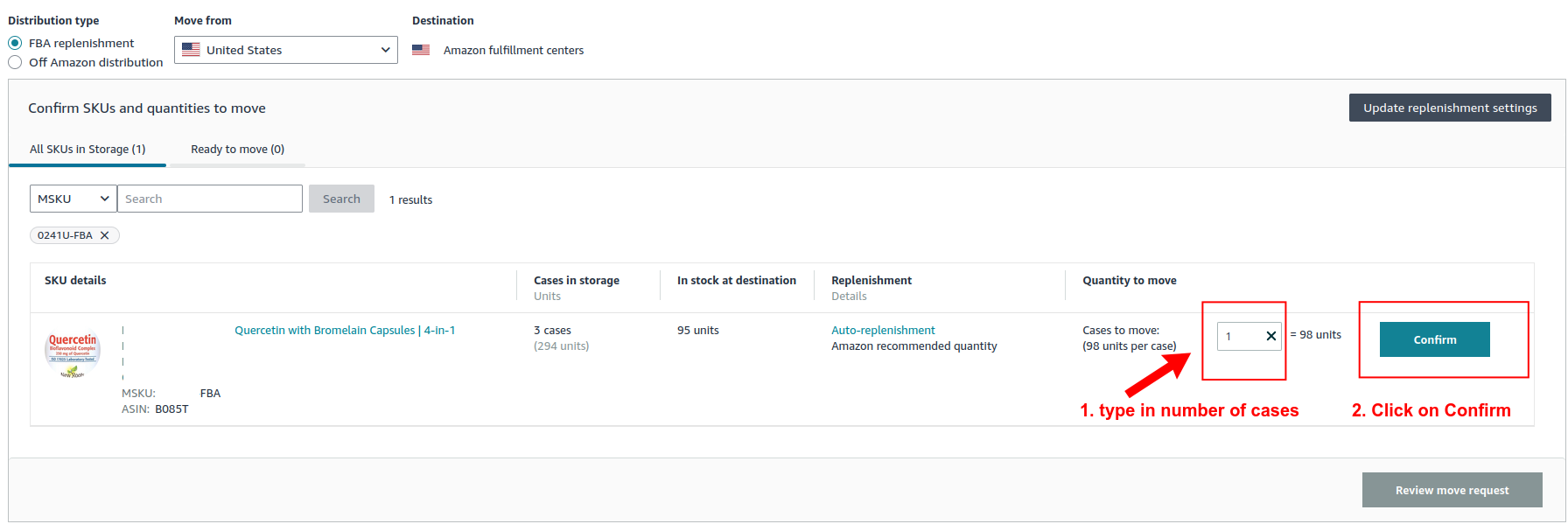
After Clicking on the value "move from AWD" it will bring you to another screen (see picture below)
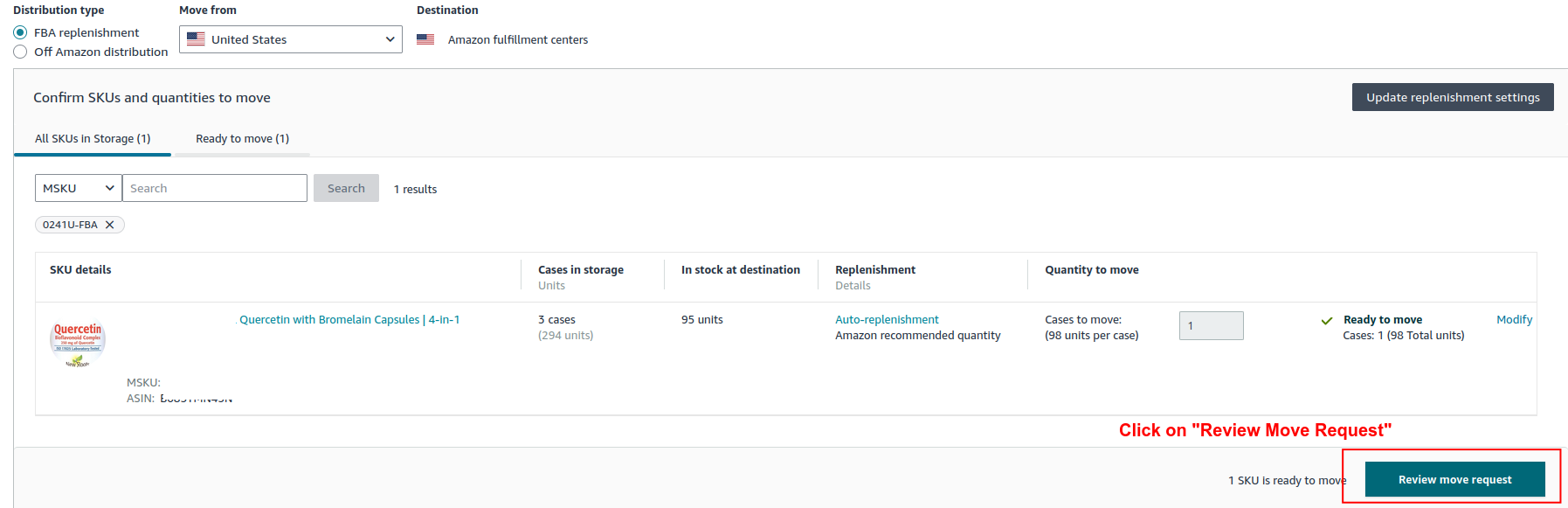
Step 4: type in the number of cases that you want to move from AWD to FBA
Step 5: click on "Confirm"
Step 5: click on "Review move request" (see picture below)
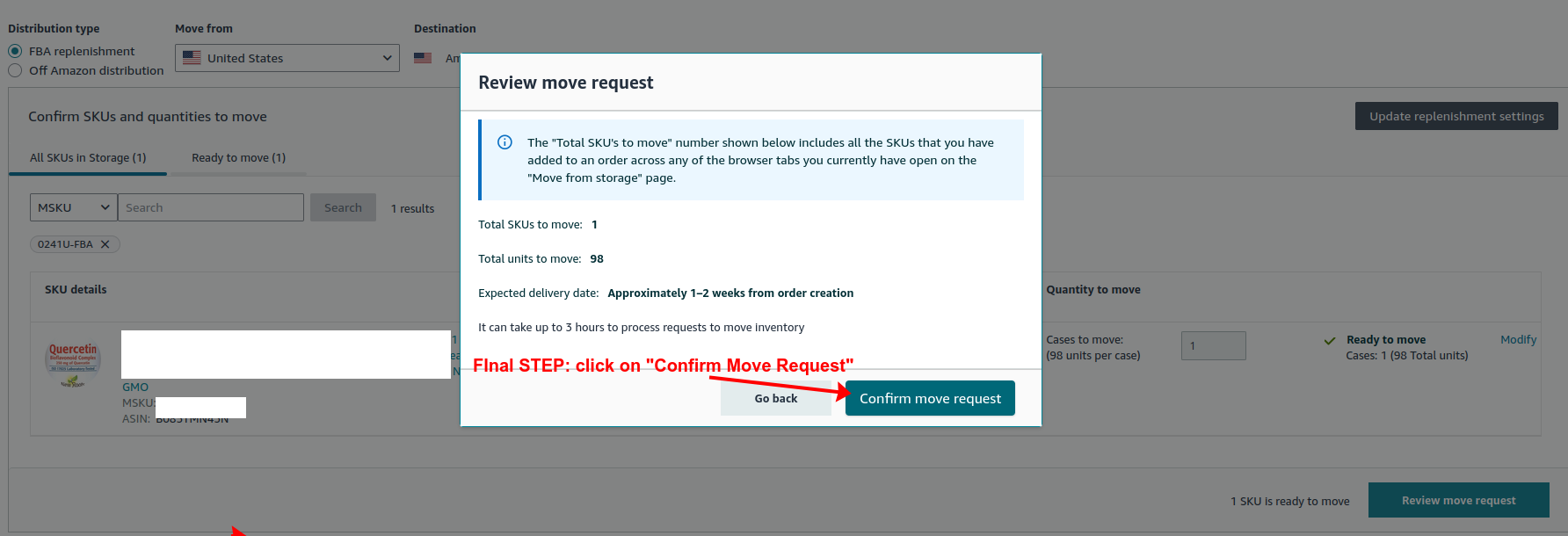
a popup screen will show up
Step 6: Click on " Confirm Move Request" (see picture below)
And you are DONE!
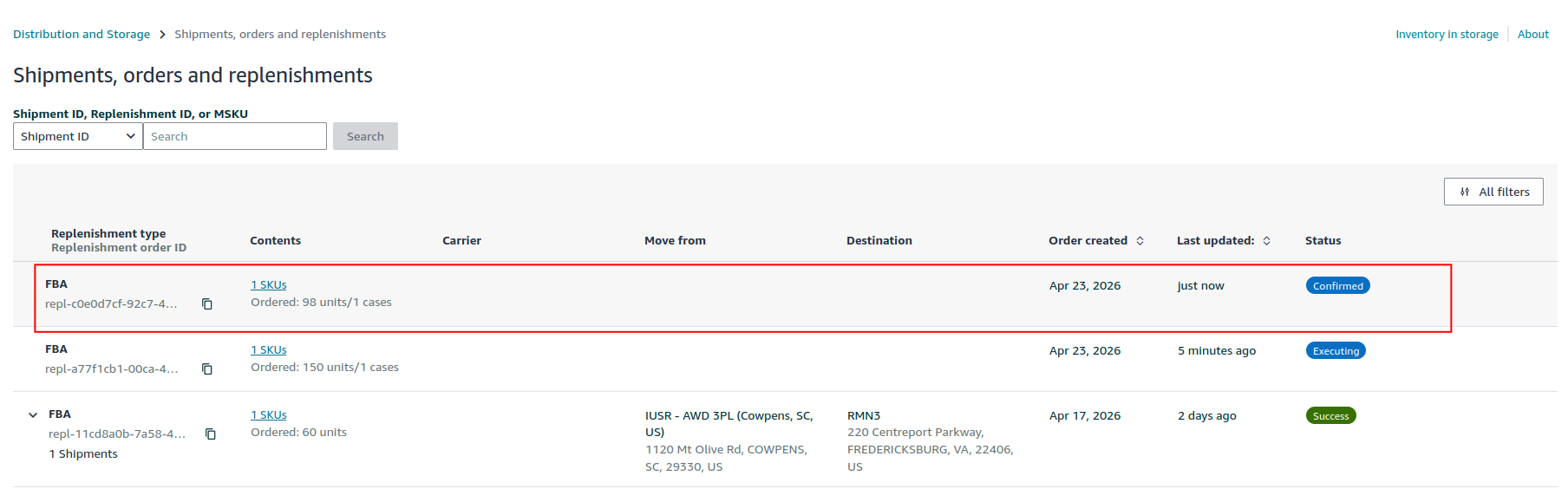
Now go back to the screen :"Amazon Warehousing and Distribution (AWD)" and click on "Track Distributions"
You will see the shipment from AWD to FBA warehouse of your product has been confirmed with status "Success"
Check the status a few days later and it might show "Delivered"
Have more burning questions about FBA Inventory Management or AWD Issues? Contact AMZing Marketing
Find out what is stopping your Amazon sales from growing.
Meet Our Amazon Experts
AMZing Marketing Agency (Canada) helps Amazon sellers improve listings, PPC campaigns, SEO ranking, fix listing issues, and sales growth.
✓ 2,900+ Sales Generating Product Listings Created
✓ 5,700+ Advertising Campaigns Optimized
✓ Helping Amazon Sellers Since 2013
Schedule a Free ConsultationWhy Amazon Sellers Choose AMZing
✓ Amazon SEO & Listing Optimization
✓ Amazon PPC Advertising Management
✓ Account Health & Compliance Support
✓ FBA Planning & Marketplace Growth Strategy
Contact AMZing MarketingPopular Amazon Seller Resources
- Plugin Bludit: Demo of Meta Title and Meta Description
- Amazon AWD Explained: The Ultimate Guide to Replenishing FBA Inventory (Avoid Costly Mistakes & Scale Faster in 2026
- How to move AWD inventory to FBA and Fix Errors Auto-Replenishments to FBA
- Ultimate Guide To Selling Supplements On Amazon -> What NOT to Do
- Case Study: Diamond Jewelry Store
- Why Allowing Third-Party Sellers on Your Amazon Product Listings Can Damage Your Brand
- Amazon Sales Dropped After Restock? Why You Need Aggressive PPC Relaunch To Restores Sales Velocity Fast
- Amazon Listing Hijacking Between Manufacturers and Resellers: Why It Happens and How to Solve It